



How MyQ helped Lorient Agglomération consolidate printing across 30 MFPs in just 2 weeks
18/11/2026
Moving an organization to a new office involves more than relocating employees and equipment. IT teams also need to reorganize printing services, manage user access, simplify maintenance, and ensure employees can continue printing and retrieving documents securely.
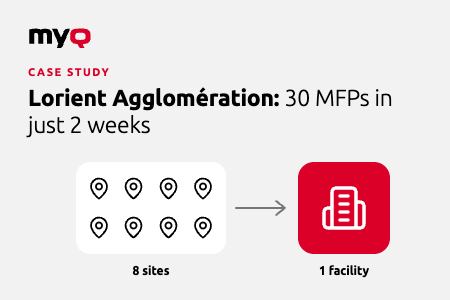
For Lorient Agglomération, consolidating 8 locations into a single facility for 300 employees created an opportunity to rethink its printing environment. The organization replaced obsolete desktop printers with 30 modern Kyocera multifunction printers (MFPs) equipped with MyQ powered Kyocera Net Manager (KNM).
The implementation was completed in just 2 weeks, giving the organization a unified printing environment with secure mobile access, pull printing, and simplified maintenance.
Why office consolidation creates printing challenges
When an organization moves from multiple offices into one location, its existing printer fleet may no longer suit the new setup. Devices that were previously distributed across separate sites must be reorganized; user access needs to be managed, and maintenance processes may need to change.
This was the situation at Lorient Agglomération, whose consolidation from 8 locations into a single facility brought together 300 employees.
The new site needed a printing environment that could support the reorganized workforce while addressing several operational requirements:
- Replacing obsolete desktop printers with modern multifunction devices.
- Simplifying printer maintenance.
- Improving the management of user access.
- Modernizing document handling to provide greater security and flexibility.
The project required more than installing new hardware. Lorient Agglomération needed a consistent way to manage printing across the new site.
How MyQ supported the transition
Lorient Agglomération replaced its obsolete desktop devices with new MFPs. The new fleet included Device Alert Notification, while the MyQ Service Module supported maintenance through automated alerts.
Three capabilities helped address the organization’s requirements.
Pull printing and mobile access
The MyQ Mobile app and pull printing gave employees greater flexibility in how they retrieved documents.
With pull printing, users can authenticate at a supported device to release their print jobs. This helps protect documents from being left unattended at a printer and allows users to retrieve them when they are ready.
For an organization bringing together employees from eight locations, secure and flexible document retrieval is an important part of establishing a consistent printing environment.
Automated alerts simplify maintenance
Maintaining a printer fleet takes time, particularly when IT teams need to monitor devices and respond to issues across the environment.
At Lorient Agglomération, automated alerts enabled by the MyQ Service Module simplified maintenance and reduced the burden on the IT department. This freed IT staff to focus on other tasks rather than spending as much time managing printer maintenance.
A unified fleet reduces pressure on individual devices
The newer fleet gave Lorient Agglomération a more consistent printing environment for its 300 employees, supported by a common print management solution rather than a collection of separate desktop devices.
The results: 30 MFPs implemented in two weeks
The two-week implementation is a particularly relevant detail for organizations planning an office move or consolidation. It provides a concrete example of a print management project completed as part of a larger workplace transition.
Lorient Agglomération also benefited from secure mobile access, simplified maintenance through automated alerts, and a unified printer fleet.
What IT teams should consider when consolidating offices
Lorient Agglomération’s experience highlights several printing requirements worth addressing early in an office move:
- Fleet planning: Determine which devices the new site needs and how they will be managed.
- User access: Establish how employees will authenticate and retrieve documents across the new environment.
- Maintenance: Consider how device status and maintenance needs will be monitored.
- Document security: Ensure employees can retrieve print jobs securely rather than leaving documents unattended.
- Implementation timing: Include the print management environment in the overall relocation plan, rather than treating it as a separate task after the move.
Addressing these requirements together can help IT teams establish a consistent printing environment for employees at the new site.
Plan your next office move with MyQ
MyQ can help organizations manage printing across a unified fleet, support secure document retrieval, and simplify printer maintenance.
Lorient Agglomération’s experience shows what this can look like in practice: 30 modern MFPs implemented in two weeks as part of a consolidation from eight locations to one facility serving 300 employees.
If your organization is planning an office move or consolidation, contact MyQ to discuss your print management requirements.
No two device fleets are used the same way. Most devices across an organization handle everyday secure printing and scanning. A smaller number take on more demanding roles with high-volume scan review.
MyQ X
1 min read
With the new MyQ Roger app for Kyocera devices, organizations can now simplify operations, enhance security, and embrace a fully cloud-based approach to printing and document workflows.
MyQ Roger
3 min read
MyQ X’s highly anticipated Embedded Terminal 8.2 for Kyocera devices has arrived, and it’s filled with improvements that make the MFP operation smoother & more secure, while also helping allocate printer costs more precisely. So, what’s new?
MyQ X
3 min read
When you think of working with data, and paper as well as digital documents, the images that come to mind for most people are of a corporate employee concentrating on a chart on a computer or his colleague carrying a stack of papers to the copier through an open-space office building.
MyQ X
3 min read