



Secure, customizable print management for complex environments
MyQ X gives organizations full control over print, scan, and document workflows across on-premise and private cloud environments.
- Scan, print, and process documents with one-click workflows
- Personalize the printer panel for users, roles, and departments
- Protect documents with end-to-end security
- Support mobile and BYOD printing with flexible access
- Deploy and configure devices remotely
- Monitor devices, costs, usage, and environmental impact









Powerful MyQ X features
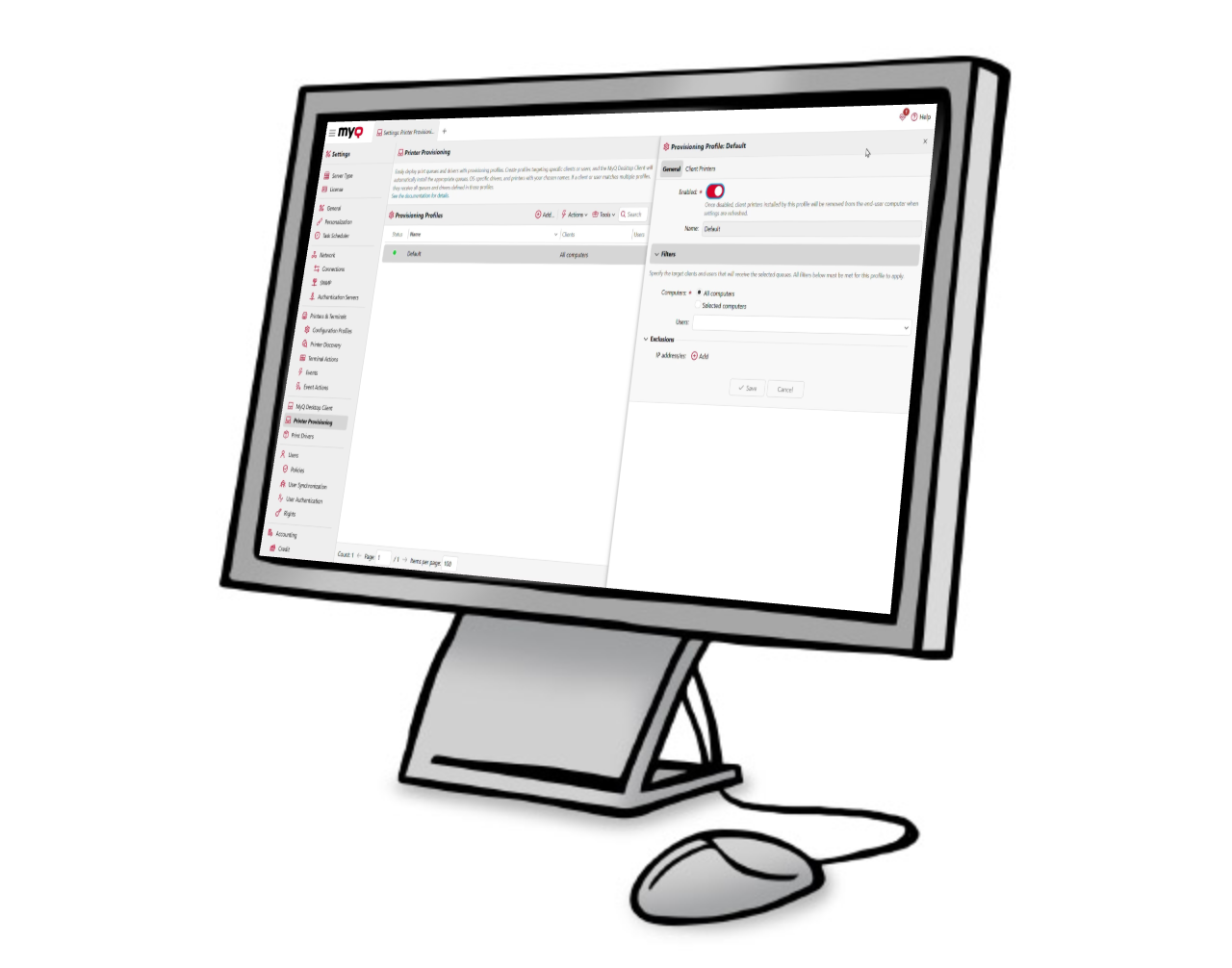
Printer Provisioning Profiles
Automatically assign the right print queues based on user, role, location, or device. Printer Provisioning Profiles help simplify deployment, reduce manual setup, and keep printer access aligned with how people work.
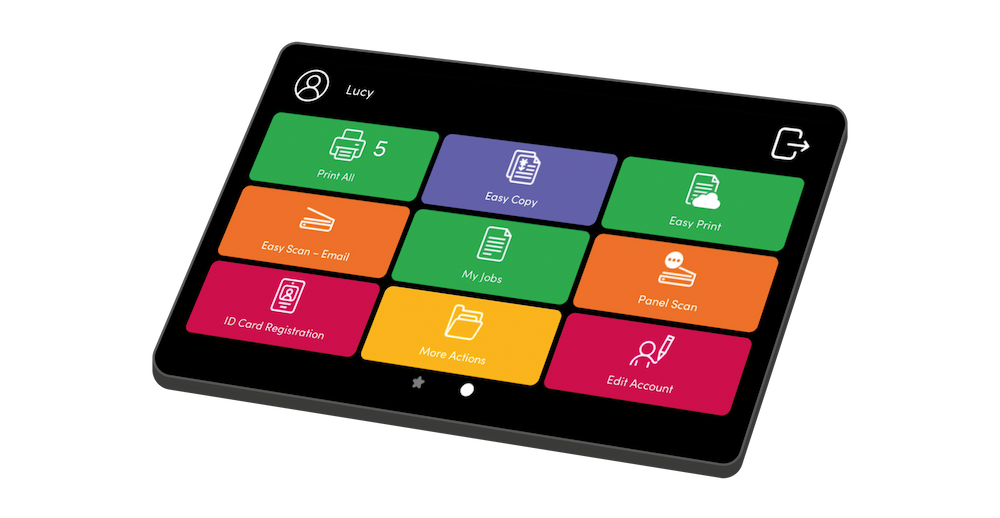
Personalized printer panel
Give users a printer panel that reflects the way they work. MyQ X lets administrators customize actions, icons, workflows, and access rights, so users see only the functions they need.
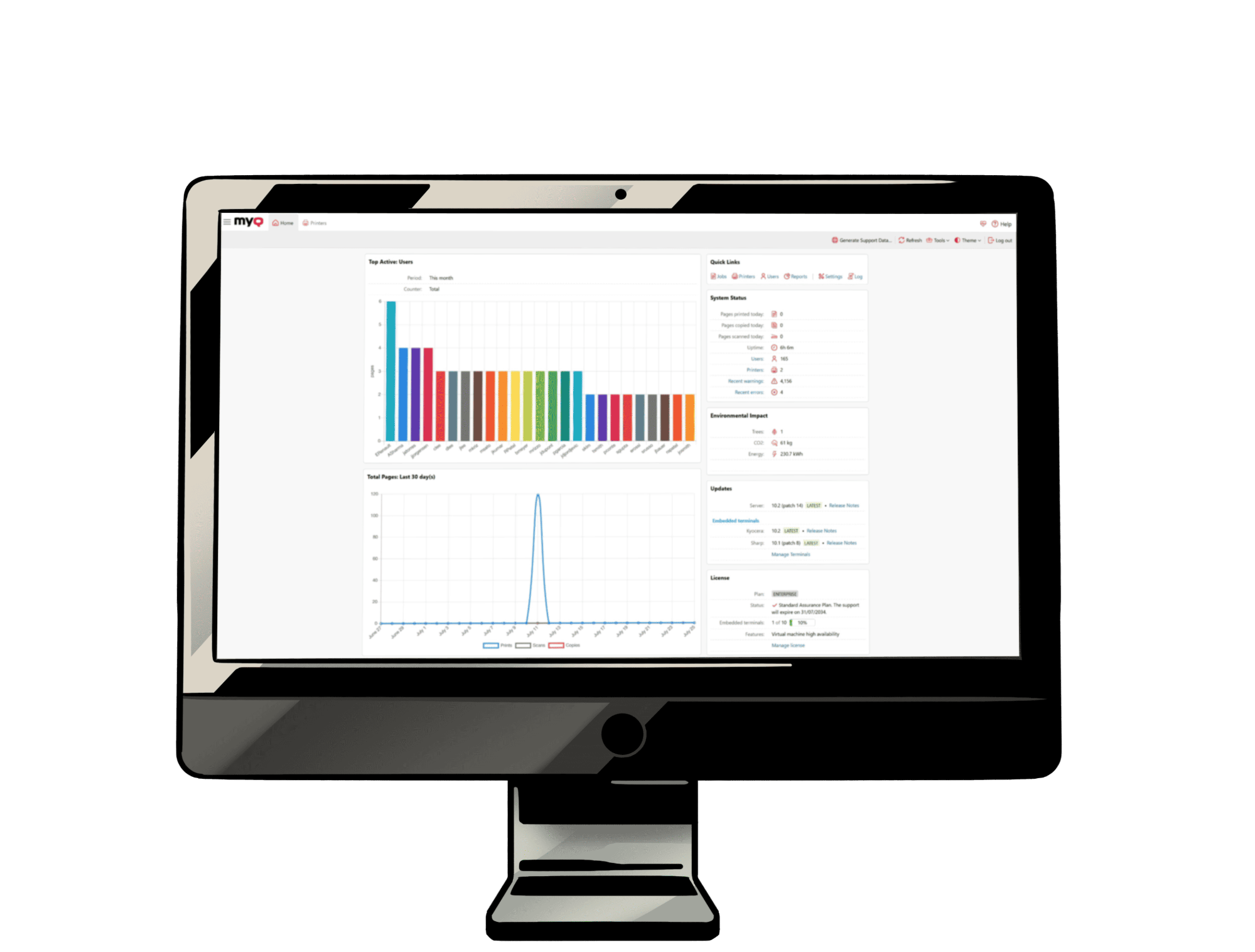
Admin dashboard
Manage users, devices, policies, reports, and workflows from one centralized dashboard. MyQ X gives administrators clear visibility and control across the entire print environment.
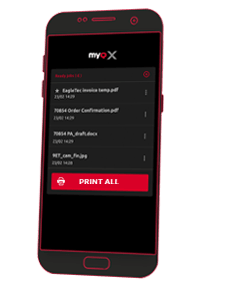
Mobile client
Use the MyQ X Mobile Client to print, manage jobs, authenticate with QR codes, adjust print settings, and recharge credit directly from a mobile device.
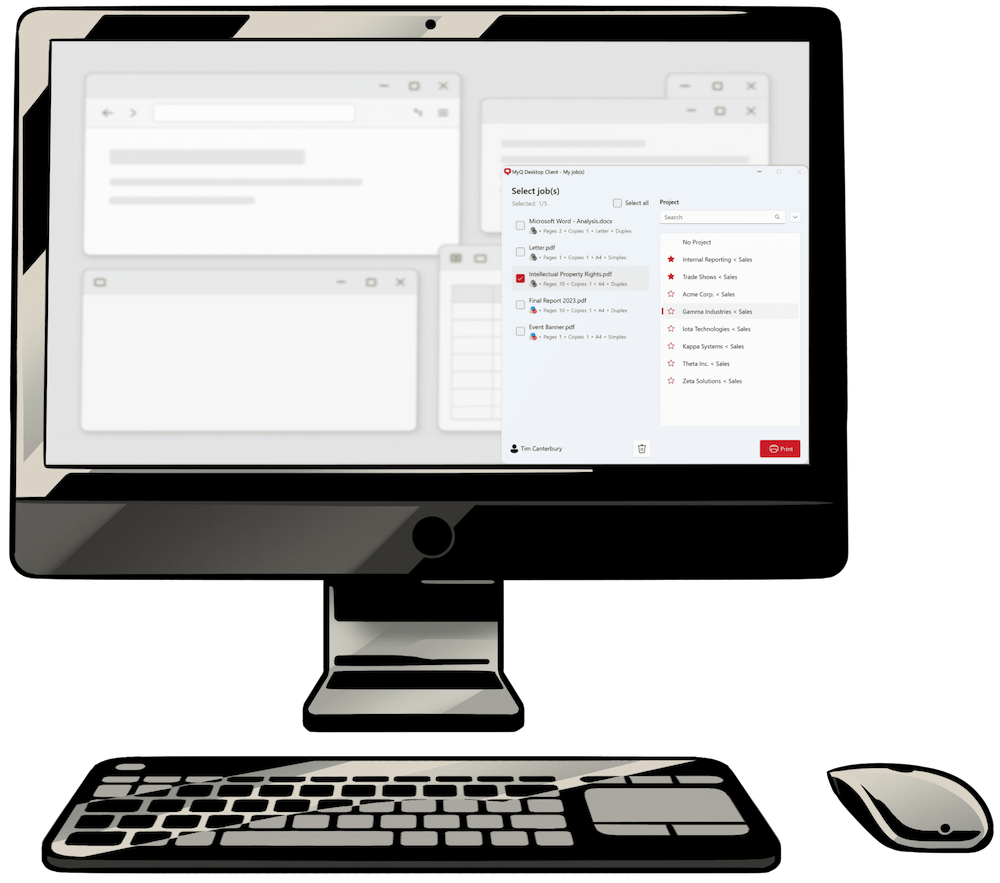
Desktop client
Extend secure print workflows to user workstations with the MyQ X Desktop Client. It supports job management, secure pull printing, local spooling, and detailed accounting for print activity.
Document Processor
Process scanned documents directly within MyQ X. Use OCR, convert documents into editable formats, separate files using page counts or barcodes, and remove blank pages.
Scan Review
Add a review and approval step to scanning workflows. Authorized reviewers can inspect documents, approve or reject them, digitally sign approved files and maintain an audit trail.
Release Station
Enable authenticated print release through a browser-based interface on devices without an embedded MyQ terminal. Users can select a printer and release their previously submitted jobs.
Customer care
Software Assurance
You'll always keep your print environment up-to-date. You get free updates, security patches, and skilled support.
End-of-Life Policy
If any MyQ product gets discontinued, you'll know about it well in advance. Of course, we'll offer you an alternative solution.
End User License Agreement (EULA)
As every service does, MyQ X has its rules of use. They contain the details on how we process data, the definition of provided services, and more.
MyQ X key features


MyQ X FAQ
MyQ X is MyQ’s print management solution. It helps organizations manage printing, copying, and scanning across their print environment, with tools for secure print release, user authentication, document workflows, reporting, and centralized administration.
MyQ X 10.3 introduces four key capabilities: MyQ Document Processor, Scan Review, Release Station, and enhanced Windows Protected Print support through IPP pass-through. Together, they extend document processing, controlled scanning, print release, and Windows printing capabilities.
MyQ X 10.2 is the Long-Term Support (LTS) release. MyQ X 10.3 belongs to the innovation stream and introduces new functionality. Organizations can continue using 10.2 or upgrade to 10.3 when they want to use its new capabilities.
MyQ Document Processor extends MyQ X scanning workflows with document processing capabilities. It can use OCR to convert scanned documents into formats including PDF, PDF/A, Word, Excel, PowerPoint, and TXT. It also supports document separation by page count or barcode, as well as automatic blank-page removal.
Scan Review adds a review and approval step to scanning workflows before documents are archived. Reviewers can inspect scanned documents and their metadata, approve or reject submissions, and digitally sign approved documents. The process includes an audit trail and supports controlled document handling.
Release Station is a browser-based interface for releasing print jobs on devices without an embedded MyQ terminal. Users authenticate, select the printer they want to use, and release jobs they have already submitted to the print system. One Release Station can serve one printer or multiple printers.
Yes. MyQ X supports Windows Protected Print, and version 10.3 extends this support through IPP pass-through. This enables MyQ to detect supported device capabilities and make finishing options such as stapling and hole punching available in the Windows printing environment.
Scan Review is available in the MyQ X Ultimate edition. Organizations should check the edition comparison to see which other features are included in Smart, Enterprise, and Ultimate.
No. MyQ X 10.2 remains the LTS release, so organizations can continue using it. MyQ X 10.3 is available for organizations that want to adopt the latest capabilities.