



Moving beyond scripts: Introducing Printer Provisioning Profiles (3P)
02/02/2026
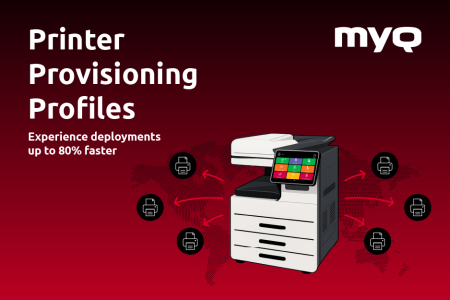
Printer deployment has never been the most visible part of IT work, but it has always been one of the most time consuming.
Printer Provisioning Profiles: a simpler way to deploy printers at scale
As environments grow, offices multiply, and users move between locations, what once felt manageable quickly turns into a web of scripts, group policies, manual fixes, and edge cases.
With the launch of Printer Provisioning Profiles (3P), we introduced a new way to approach printer deployment. One that replaces complexity with structure, reduces manual work, and brings consistency to environments that were never designed to stay static.
What are Printer Provisioning Profiles?
Printer Provisioning Profiles define how print queues are deployed across an organisation.
Instead of treating each deployment as a one-off task, 3P allows IT teams to create profiles that describe which printers, drivers, and settings belong to specific users, roles, departments, or locations.
Once defined, these profiles handle deployment automatically.
In practical terms, that means printers follow users instead of the other way around.
- A user joins a department. Their printers appear.
- A user moves to a different location. Their printers update.
- A new office is coming online. The same deployment logic applies, without rebuilding everything from scratch.
What 3P changes compared to traditional deployment
Traditional printer deployment relies heavily on group policies, scripts, manual installation, and other legacy procedures. These methods worked, but they came with trade-offs that most IT teams know too well.
- They take time to build.
- They break after operating system updates.
- They are difficult to maintain across multiple sites.
- Frequent issuance of tickets
Printer Provisioning Profiles (3P) removes much of that friction by introducing a structured, repeatable deployment model.
With 3P, IT teams can:
- Define printer profiles per location, department, role, or individual user
- Automatically deploy the right queues to the right people
- Generate ready-to-use installation packages for BYOD and remote users
- Keep personal devices separate from internal networks
- Assign dedicated, secure printers for specific users, including executives
What does this mean for IT teams?
For IT teams, the most immediate benefit is time.
Deployments that once took hours, or even days, can now be completed in minutes. Changes no longer require rewriting scripts or rebuilding group policies. Profiles can be adjusted centrally and applied consistently across environments.
Just as importantly, 3P reduces error. When deployment logic is based on profiles rather than manual processes, there are fewer chances for misconfiguration. Printers end up where they should be, with the right settings, without repeated intervention.
This also changes how IT teams approach growth. New offices, new departments, or new locations no longer mean starting over. Existing profiles can be reused, adjusted, or extended, making expansion predictable rather than disruptive.
What 3P means for partners
For partners, Printer Provisioning Profiles open the door to a different kind of deployment conversation.
Instead of spending time on manual setup and troubleshooting, partners can focus on designing deployment strategies that fit the customer’s environment.
Profiles allow deployments to be standardised, documented, and repeated across multiple sites or customers.
This creates clear opportunities for value-added services, such as:
- BYOD provisioning setups for campuses or enterprises
- Multi-building and multi-site configuration projects
- Secure executive printing profiles
- Printer fleet migrations with consistent outcomes
Because deployments become faster and more predictable, partners can complete more projects with less on-site work.
What this means for end-users
While end-users may not see a big UI change, they feel its impact immediately.
- Printers appear when they should.
- Settings match the way people actually work.
- Sensitive documents go to the right device.
There are fewer support tickets because printing behaves consistently across locations. Users moving between offices no longer need help reinstalling printers or figuring out which queue to use.
For hybrid and remote users, this matters even more. With ready-to-use installation packages and clear separation between personal and corporate environments, printing becomes part of the workflow rather than an obstacle.
Security and control without added complexity
Security is often one of the hidden costs of manual deployment. The more exceptions, scripts, and workarounds exist, the harder it becomes to maintain control.
Printer Provisioning Profiles help reduce that risk by keeping deployment logic centralised and predictable. Executive printing can remain private, even when users move between offices.
This level of control does not require more effort from IT teams. It comes from defining the right profiles, once.
A step forward for print management
Printer Provisioning Profiles represent a shift in how printer deployment is approached within MyQ. We move the focus away from manual work and toward repeatable outcomes.
- For IT teams, that means less time spent fixing deployments.
- For partners, it means more scalable services and clearer value.
- For end users, it means printing that works as expected.
3P is not about doing more. It is about doing less, more reliably.
Print queue deployment lives in the background, handled quietly by IT teams who already have enough on their plate. When it works, nobody notices it. When it doesn’t, it becomes one of those problems everyone feels, but few want to own.
MyQ X
4 min read
For all the digital transformation happening across organizations, one stubborn area of IT remains painfully stuck in the past: printer deployment.
MyQ X
2 min read
Discover a world beyond printer drivers with MyQ X's alternative driver-free printing methods, ensuring seamless, secure, and hassle-free printing experiences for all your documents.
MyQ X
4 min read