RICOH Multifunction Printers & MyQ Roger

Cloud native printing and scanning for modern workplaces


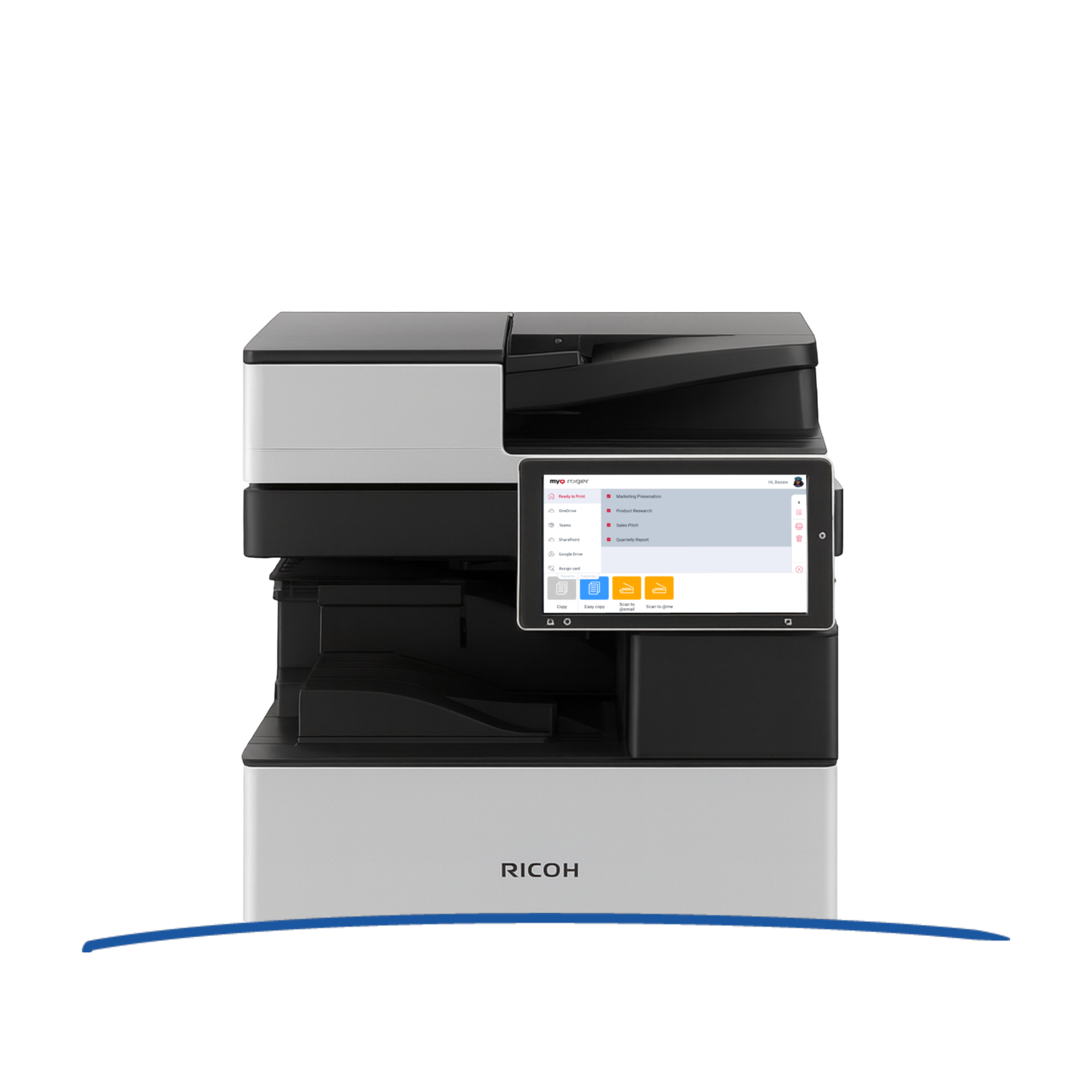
MyQ Roger is the primary cloud native printing and document workflow solution for RICOH multifunction printers powered by the RICOH Smart Operation Panel and SmartSDK. Designed without servers or on-premise infrastructure, MyQ Roger delivers a modern, secure, and intuitive embedded terminal that simplifies everyday printing and scanning while supporting today’s hybrid workforce.

Built for speed, flexibility, and scalability, MyQ Roger transforms RICOH MFPs into smart workplace hubs, enabling users to print, scan, and work with documents seamlessly from the office, home, or on the go.

RICOH Multifunction Printers & MyQ Roger

FEATURE DIGEST

  • Cloud Native by Design

    Cloud Native by Design

    Serverless Simplicity

    MyQ Roger is fully cloud native and serverless, eliminating the need for local print servers or complex infrastructure. Organizations benefit from enterprise grade availability, security, and performance while reducing IT overhead. This approach enables fast deployment across RICOH SmartSDK enabled devices and supports easy scaling as business needs evolve.

  • Simple, Intuitive User Experience

    Simple, Intuitive User Experience

    Embedded RICOH Smart Operation Panel Terminal

    The RICOH terminal for MyQ Roger provides a clean, modern, and consistent user experience directly on the Smart Operation Panel. Users can log in quickly and access their most common print, copy, and scan workflows with just a few taps. Personalized screens, recent workflows, and favorites help users complete tasks efficiently while maintaining a consistent experience across devices. 

  • Secure by Default

    Secure by Default

    Protected Print and Scan Workflows

    Security is built into every step of MyQ Roger workflows. Users authenticate before accessing device functions, ensuring documents are released only to the right person. Secure pull printing prevents unclaimed printouts, while controlled scan destinations help protect sensitive data across office and remote work environments.

  • Work From Anywhere

    Work From Anywhere

    Hybrid Workplace Ready

    MyQ Roger is designed for flexible workstyles. Users can print and scan whether they are in the office, at home, or on the move. Seamless integration with modern workplace platforms and cloud services allows documents to move smoothly between users, devices, and locations without compromising security or usability.

  • Cloud Connected Scanning

    Cloud Connected Scanning

    Smart Scan Workflows

    Scanning with MyQ Roger goes far beyond email. Users can browse and work with documents directly on the device panel and scan to popular cloud services such as OneDrive, Google Drive, SharePoint, Microsoft Teams, Dropbox, or Box. Predefined actions and smart workflows reduce manual steps and ensure documents are delivered exactly where they are needed.

ADMIN'S CORNER

  • Centralized Cloud Control

    Centralized Cloud Control

    Simple Management, No Servers

    MyQ Roger removes the burden of traditional print infrastructure. Administrators manage users, devices, and workflows centrally through a web-based interface, without maintaining servers or print systems. This cloud first approach makes it easy to support distributed teams and adapt quickly as environments change.

  • Personalized Workflows

    Personalized Workflows

    Right Actions for Every User

    Different teams have different document needs. MyQ Roger allows administrators to tailor workflows for users or groups, ensuring employees see only the actions relevant to their role. This improves productivity, reduces errors, and streamlines document handling across the organization.

  • Insight and Accountability

    Insight and Accountability

    Usage Visibility

    With MyQ Roger, organizations gain clear insight into printing and scanning activity. Usage data supports responsible behavior, cost awareness, and informed decision making, all without adding operational complexity.

Visit our Docs page to see all MyQ Roger RICOH printer features

Explore MyQ Roger on other brands

This website uses cookies

We use cookies to personalise content and ads, to provide social media features and to analyse our traffic. We also share information about your use of our site with our social media, advertising and analytics partners who may combine it with other information that you’ve provided to them or that they’ve collected from your use of their services.

Allow all
Reject all
Customize

Cookie customization